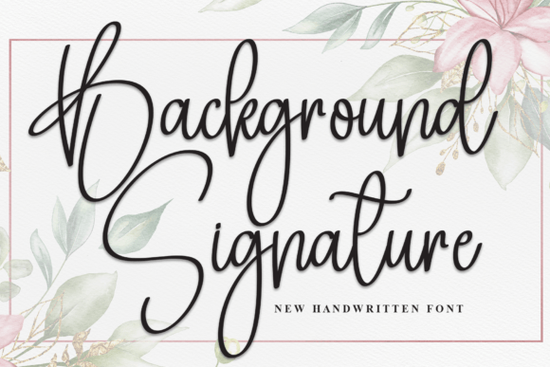
If you're looking for a handwritten font that feels personal without being overly decorative, the Background Signature Font is a thoughtful choice. It’s not flashy or exaggerated just clean, natural cursive with gentle rhythm and subtle variation in stroke weight. That makes it especially useful for designers and small business owners who want authenticity on invitations, social media graphics, or even simple product labels. Unlike some script fonts that demand perfect spacing or complex ligatures, this one works well out of the box in most design tools, including Canva, Adobe Illustrator, and Cricut Design Space.
When does Background Signature work best?
This font shines where warmth and approachability matter more than formality. Think wedding stationery, boutique shop logos, handmade product tags, or Instagram story overlays for a craft business. Because it’s designed to mimic real pen-on-paper movement, it avoids the stiffness some digital scripts have. You’ll notice the slight tilt, the soft entry and exit strokes, and the way letters connect just enough not too tightly, not too loosely. It pairs nicely with simple sans-serif fonts (like Montserrat or Lato) for contrast, or with other relaxed scripts if you’re building a custom typographic system.
How does it compare to other popular script fonts?
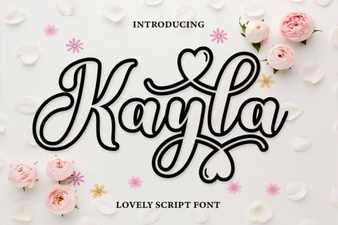
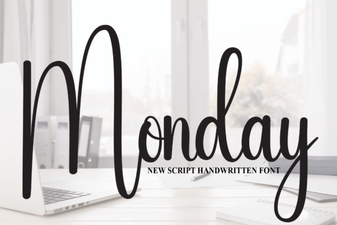
Every script font has its own personality and knowing the differences helps you choose wisely. For example, Kayla Outline adds lightness and airiness with its open strokes, making it great for layered designs or minimalist branding. Monday Font leans slightly bolder and more structured, which gives it confidence in headlines or apparel prints. Masterday Font brings a bit more flair and bounce, ideal when you want energy and movement. And Ashley Southine Font offers a refined, slightly vintage sensibility think apothecary labels or artisanal packaging. Background Signature sits comfortably between them: softer than Monday, less ornate than Masterday, and more grounded than Kayla Outline.
What file formats and features come with it?
You’ll get OTF, TTF, and WOFF files so it works across desktop apps, web projects, and cutting machines. There are no alternate characters or stylistic sets included, which keeps things straightforward. That’s actually helpful if you’re new to script fonts or don’t want to spend time toggling between glyphs. Just install and type. No need to worry about manual kerning adjustments for basic use though if you’re doing fine-tuned logo work, a quick pass in Illustrator or Affinity Designer will help polish spacing.
Where do people actually use this font?
We’ve seen it used in real projects like:
- Handmade soap brand labels paired with a short serif for ingredient lists
- Instagram carousel slides for a wedding planner’s service breakdown
- Print-on-demand mugs and tote bags, where readability at small sizes still holds up
- PDF invitation suites exported from Canva (using the desktop app for full font access)
- Small-run greeting cards printed locally, where the font’s natural flow reads as “hand-lettered” even though it’s digital
It’s not meant for body text or long paragraphs script fonts rarely are but it handles short phrases beautifully: names, dates, taglines, or single-word accents like “Yes,” “Love,” or “Handmade.”
If you'd like to see how it looks alongside similar options, you can preview Background Signature Font, Kayla Outline Font, Monday Font, Masterday Font, and Ashley Southine Font side by side on Creative Fabrica’s site.
A practical tip before downloading
Try typing your most common use case first like your business name or a standard phrase such as “Thank you” in your preferred design tool. Check how it renders at different sizes (especially 24–48pt for social posts, and 14–18pt for small print). If letters feel cramped or spacing looks uneven, adjust tracking manually rather than assuming the font itself needs fixing. Most importantly: trust your eye over presets. What feels right to you, in your context, matters more than trends.
Before you add it to your cart:
- ✅ Test it with your go-to design software
- ✅ Try it alongside fonts you already use
- ✅ Sketch out one real project you’d make with it (even on paper)
- ✅ Check licensing this font allows commercial use, including POD, but always confirm current terms on the product page
 Design Your Vision with Kayla Outline Font
 Monday Font Styles for Your Web Design Projects
 Elevate Your Designs with Stylish Typography
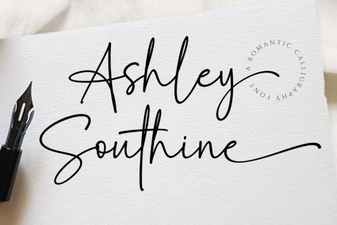 Ashley Southine Font: Elegant Designs & Creative Uses
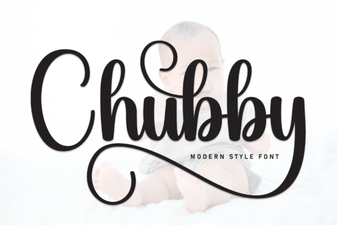 Design-Friendly Chubby Fonts for Web Projects
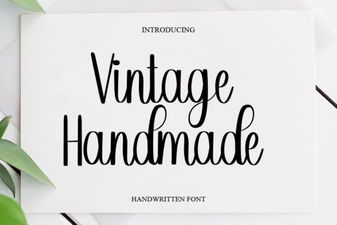 Crafting Elegant Designs with Vintage Handmade Fonts