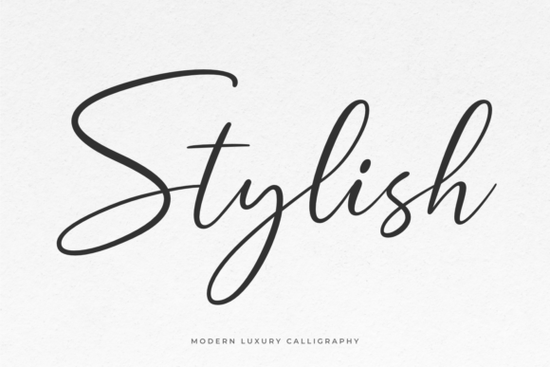
If you're looking for a graceful, modern calligraphic font that works well across branding, invitations, cards, and web graphics, Stylish Font is a solid choice. It’s designed with rhythm and flow in mind so letters connect naturally, and swashes feel intentional rather than forced. Unlike some script fonts that rely heavily on ligatures or complex OpenType features, Stylish is PUA encoded, meaning all alternate glyphs and decorative swashes are easy to access in any design app even beginner-friendly ones like Canva or Cricut Design Space.
When does Stylish Font work best?
This font shines in projects where elegance matters but readability can’t be sacrificed. Think wedding stationery, boutique packaging, Instagram story headers, or minimalist business cards. It’s not overly ornate, so it holds up well at smaller sizes unlike some ultra-thin or tightly spaced scripts. You’ll also find it pairs nicely with clean sans-serifs (like Montserrat or Inter) for contrast without visual clutter.
Because it’s built for real-world use, Stylish includes both uppercase and lowercase letters, numerals, punctuation, and a full set of stylistic alternates. That means you’re not stuck with the same “a” or “g” every time you can mix and match for subtle variation in longer text blocks, like quotes or short bios.
How does it compare to other popular script fonts?
Every script font has its own personality and knowing which one fits your project saves time and avoids last-minute swaps. For example, if you love flowing, relaxed energy, you might also enjoy the casual charm of Monday Font, which leans into handwritten warmth. Or if your brand feels more playful and rounded, Chubby Font offers friendly curves without sacrificing legibility.
For something with a soft, sun-drenched vibe think summer weddings or artisanal product labels Peach Club Font brings gentle bounce and airy spacing. And if your project calls for texture and authenticity, like handmade soap tags or vintage-inspired posters, Vintage Handmade Font adds subtle ink variation and irregular baseline movement.
One thing that sets Stylish Font apart is its balance: it’s polished enough for professional branding, but approachable enough for hobbyists printing at home. It doesn’t require advanced software knowledge, and because it’s PUA encoded, you won’t need to dig through glyph panels just to find a swash “t” or an alternate “y.”
Where do designers actually use this font?
We’ve seen Stylish Font used across several practical contexts:
- Small business branding logos for yoga studios, candle makers, and online boutiques where tone matters as much as visuals.
- Print-on-demand products mugs, tote bags, and greeting cards where script fonts add instant personality without overwhelming the layout.
- Digital assets social media banners, email headers, and Canva templates where clean, scalable vector fonts perform reliably.
- Craft projects vinyl cutting for signs, hand-lettered-style scrapbook elements, and layered paper crafts where consistent stroke weight helps with cut accuracy.
It’s also worth noting: while many script fonts struggle with spacing in all-caps settings, Stylish handles mixed-case and title case gracefully. That makes it flexible for things like event signage (“Join Us” vs. “JOIN US”) without needing manual kerning adjustments.
What about pairing it with backgrounds or signatures?
Script fonts often look even better when grounded with subtle texture or contrast. If you’re building a full invitation suite or designing a signature block for emails or letterheads, consider pairing Stylish Font with a light background pattern or even a faint background signature font behind the main text for depth. Just keep opacity low (10–15%) so it enhances, not competes.
You don’t always need extra layers, though. Stylish stands well on its own especially over solid colors or soft gradients. Test it at different sizes: it reads cleanly from 24pt down to 16pt in most print contexts, and scales smoothly for web use at 32px or larger.
One final note: if you're sourcing fonts for client work, double-check the license. Creative Fabrica’s standard license covers personal and commercial use including POD but excludes resale of the font file itself or embedding in apps/software. Always review the terms before launching a product line.
Before you download:
- Try typing a short phrase in your design tool first see how the swashes flow in context.
- Check spacing between words and lines some scripts need extra tracking for readability.
- Test it alongside your go-to sans-serif or serif for balanced hierarchy.
- Save a version with basic characters only (no swashes) for body text or secondary lines.
- Keep a backup of your preferred alternates if you switch devices or apps, PUA access stays consistent.
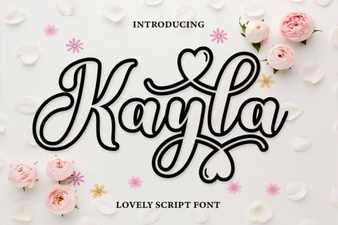 Design Your Vision with Kayla Outline Font
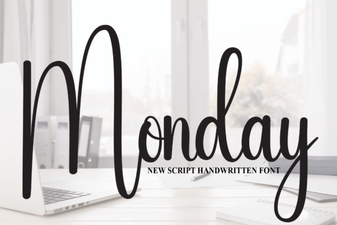 Monday Font Styles for Your Web Design Projects
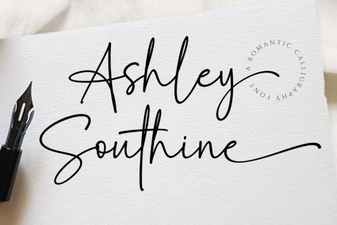 Ashley Southine Font: Elegant Designs & Creative Uses
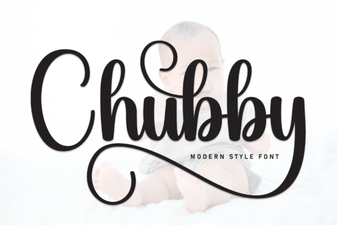 Design-Friendly Chubby Fonts for Web Projects
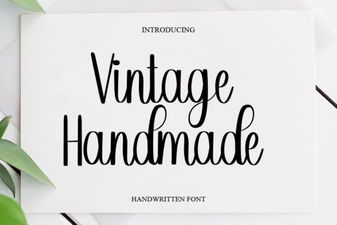 Crafting Elegant Designs with Vintage Handmade Fonts
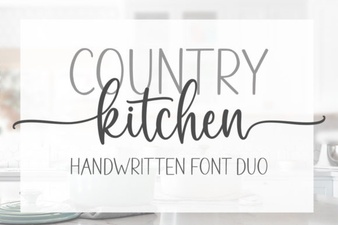 Country Kitchen Fonts: Recipes for Cozy Design