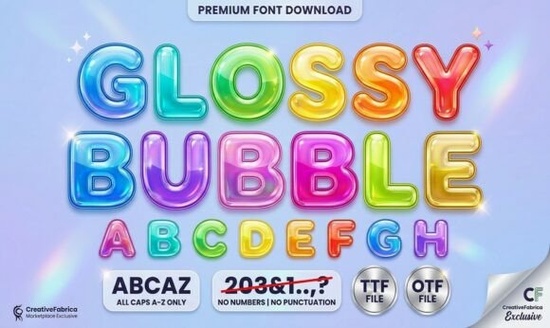
If you’re looking for a display font that feels cheerful, approachable, and full of personality without being overly complicated or hard to read Glossy Bubble Font is a solid choice. It’s designed for real-world use: crafting party supplies, designing kids’ apparel, making printable stickers, or building playful branding for small businesses. Unlike some display fonts that sacrifice legibility for flair, Glossy Bubble keeps its charm while staying clear at medium to large sizes. Its rounded, plump letterforms with thick outlines and subtle highlight marks give it that soft, inflated “balloon” look like something you’d draw by hand and then add shine to with a gel pen.
What makes Glossy Bubble different from other playful fonts?
It’s not just about roundness or thickness it’s how the details work together. The built-in highlights aren’t just added on; they’re part of each glyph, so the 3D effect holds up whether you’re using it in Cricut Design Space, Silhouette Studio, or Adobe Illustrator. That means no extra layering or manual shadowing needed. You get consistent results fast especially helpful if you’re batch-creating items for Etsy or print-on-demand platforms like Redbubble or Printful.
The hand-drawn feel is intentional but controlled. It avoids the wobble or inconsistency that can make some script or doodle-style fonts tricky to align or pair. Glossy Bubble sits comfortably beside clean sans-serifs (think Summer Forever or Stay Funky) for contrast, or even works well solo on bold signage or t-shirt graphics where simplicity wins.
Where does Glossy Bubble fit best?
This isn’t a body text font and it’s not meant to be. It shines in short, high-impact uses:
- Party invitations and birthday banners
- Sticker sheets and enamel pin designs
- Kids’ room wall art and nursery prints
- Tote bags, onesies, and casual apparel
- Social media graphics for small creative businesses
You’ll notice it pairs especially well with minimal layouts. A bright background + Glossy Bubble headline + simple icon = instant visual friendliness. It also scales cleanly from 24pt on a digital ad all the way up to 300pt on a large-format print no pixelation or awkward spacing issues, thanks to its vector-based design.
How does it compare to similar display fonts?
If you already own Varsity Narrow, you’ll appreciate Glossy Bubble’s softer energy it trades athletic sharpness for joyful roundness. Compared to Street Writing, it’s far more kid-friendly and less urban-grunge. And unlike many bubble fonts that rely solely on outline + fill, Glossy Bubble includes those subtle highlights baked into every character, giving depth without extra effort.
For crafters who cut vinyl or heat-transfer material, the generous counters (the open spaces inside letters like ‘o’, ‘e’, or ‘a’) help prevent tiny pieces from lifting during weeding. That’s a practical detail not just aesthetics.
Who’s using it successfully right now?
We’ve seen small makers use Glossy Bubble for themed sticker packs (“Rainbow Snack Time”, “Tiny Scientist Club”), POD sellers apply it to baby bodysuits with phrases like “Nap Champion” or “Snack Attack Squad”, and educators print classroom posters with encouraging phrases like “You’ve Got This!” in bright colors. One Etsy seller told us they switched from a generic rounded font to Glossy Bubble and saw a 17% increase in click-through on their listing thumbnails likely because it stood out visually in crowded search feeds.
It’s also beginner-friendly. If you’re new to working with OpenType features or stylistic alternates, Glossy Bubble doesn’t require them. It works straight out of the box in most design tools even free ones like Canva (when uploaded as a custom font).
Need more playful options?
Glossy Bubble fits neatly into a broader family of lighthearted display fonts. If you like its vibe, you might also enjoy Summer Forever for sunny, breezy energy or Stay Funky when you want bolder rhythm and bounce. For tighter spaces, Varsity Narrow gives sporty clarity, while Street Writing leans into street-art authenticity.
Before you download or purchase: Check your software compatibility (it’s a standard OTF/TTF), test it at your most common size, and try it over a few background colors you’ll quickly see how the highlights shift with contrast. And if you’re planning to resell physical items (not digital files), double-check the license terms it covers commercial use for physical products, which matters for crafters and POD sellers.
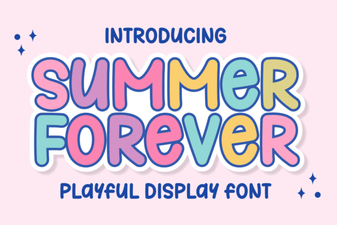 Summer Forever: a Creative Font for Design Projects
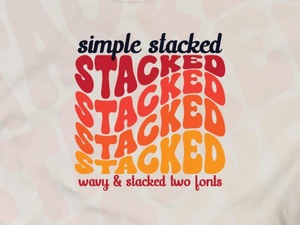 Stacked Typography: Simple & Creative Font Ideas
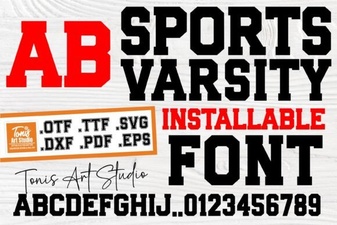 Dynamic Sports Varsity Fonts for Team Identity
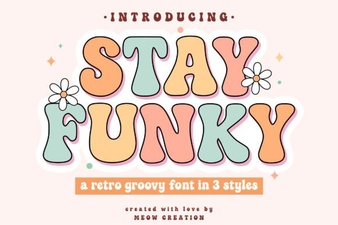 Design Your Project with Stay Funky Font
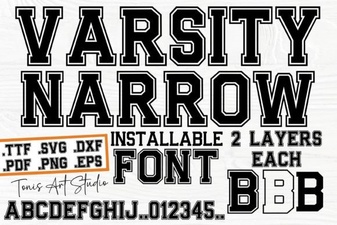 Varsity Narrow Font Download & Design Styles
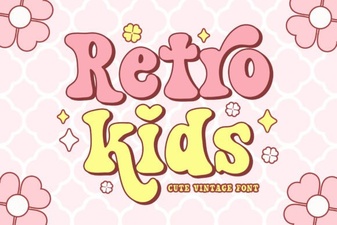 Fun Retro Fonts for Kids Projects