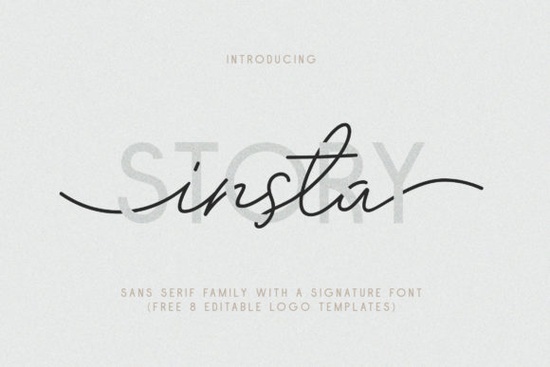
If you're looking for a versatile, ready-to-use font pair that works across social media graphics, logos, and print projects without needing to mix and match separate fonts the Insta Story Duo Font is worth your time. It’s not just two fonts; it’s a thoughtfully matched set of 10 sans serif styles plus a signature script, all designed to sit comfortably together in real-world design work. Whether you’re making Instagram story overlays, business cards for a local café, or custom watermarks for your POD shop, this duo gives you flexibility without guesswork.
What makes Insta Story different from other font duos?
Most font duos offer one clean sans and one decorative script but often, the pairing feels forced or inconsistent in weight, x-height, or rhythm. Insta Story avoids that by building both families around shared proportions and natural contrast. The sans serif side includes Thin, Regular, Bold, and Outline weights each with matching italic and bold italic variants. That’s nine styles before even adding the signature font. And the signature isn’t just a basic script: it includes titling and swash alternatives that mimic hand-scratched marks, giving text a tactile, human feel without sacrificing readability.
The included 8 editable logo templates (in AI, EPS, and PSD formats) are especially helpful if you’re short on time or less confident in vector layout. You can drop in your brand name, swap colors, adjust spacing and have a polished logo mockup in under five minutes. No need to start from scratch every time.
Who benefits most from this font set?
Small business owners who handle their own branding will appreciate how easily Insta Story adapts from a minimalist storefront sign to a vibrant Instagram highlight cover. The multilingual support (including accented characters for French, Spanish, Icelandic, and more) means you won’t hit roadblocks when designing for bilingual audiences or international markets.
Print-on-demand sellers often juggle dozens of designs across mugs, T-shirts, and phone cases. With Insta Story’s range of weights and the outline + signature combo, you can create cohesive collections like a “minimalist quote” series using Thin Italic, and a “bold affirmation” line using Outline Bold + Signature Swash without licensing multiple fonts.
Crafters and hobbyists using Cricut or Silhouette software will find the PUA-encoded characters easy to access. No need for special design apps: the fonts install like any other and work in Canva, Affinity Designer, Photoshop, Illustrator, and even Google Docs (with limited style support).
How to use Insta Story in everyday projects
- Social media graphics: Use Insta Story Regular + Signature Swash for story text overlays especially effective over photos with busy backgrounds, thanks to the clean contrast.
- Business stationery: Pair Insta Story Bold with the Signature Titling version for letterheads or invoice headers it reads clearly at small sizes and adds personality.
- Watermarks: Try Insta Story Outline Italic at low opacity behind product photos. Its subtle shape holds up well when scaled down.
- Greeting cards & invitations: Combine Insta Story Thin Italic (for body text) with Signature Swash (for names or headings) for an elegant but approachable look.
You’ll also notice thoughtful details: consistent kerning pairs, true italics (not slanted versions), and OpenType features baked in where appropriate. That means fewer manual tweaks and smoother workflow whether you’re editing in Adobe software or working in simpler tools.
For designers who want reliable typography without complexity, the Insta Story Duo Font delivers what it promises: a complete, coordinated set that works out of the box. If you’ve tried other font duos only to find yourself swapping fonts mid-project or adjusting tracking constantly, this one may save more time than you expect.
And if you’re exploring similar options, you might also like the Insta Story Duo Font it’s the same high-quality set, available directly through Creative Fabrica with full commercial license coverage.
Before downloading: Check that your design tool supports OpenType features if you plan to use the swash or alternate glyphs. Most modern apps do but older versions of CorelDRAW or basic online editors may not show them automatically. Also, remember to install both the sans and signature fonts to your system first, so they appear correctly in your font menu.
Once installed, try opening one of the included logo templates in Photoshop or Illustrator and replace the sample text with your own. That’s the quickest way to see how the weights interact and whether the signature swash feels right for your brand voice.
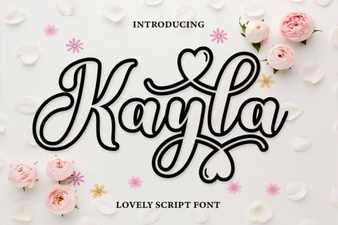 Design Your Vision with Kayla Outline Font
 Craft Friendship Bracelet Patterns with Perfect Fonts
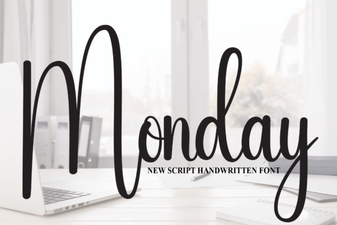 Monday Font Styles for Your Web Design Projects
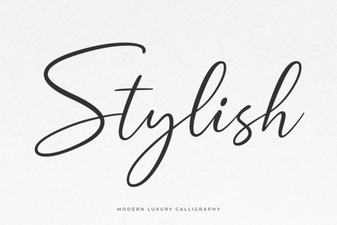 Elevate Your Designs with Stylish Typography
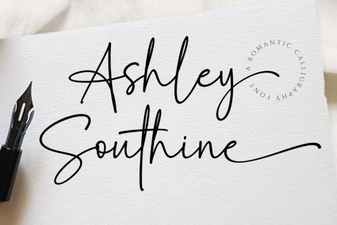 Ashley Southine Font: Elegant Designs & Creative Uses
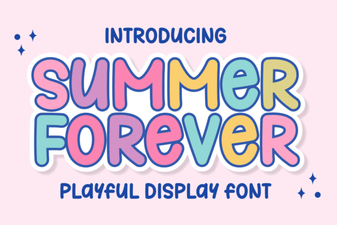 Summer Forever: a Creative Font for Design Projects